What Is a 2 in 1 Laptop, and Who Needs One?
A 2 in 1 laptop combines a laptop with a touchscreen and a folding or detachable design. It suits people who want to type at a desk and use touch controls or a folded screen for reading or sharing content.
On this page (7 sections)
A 2 in 1 laptop combines a laptop with a touchscreen and a folding or detachable design. It suits people who want to type at a desk and use touch controls or a folded screen for reading or sharing content.
The name describes two ways to use one computer. Most models are convertibles with a hinge that turns the display around; some detach the screen from the keyboard.
What is a 2 in 1 laptop, exactly?
A 2 in 1 laptop works as a laptop and can shift into another position for touch use. Most have a touchscreen and a 360-degree hinge, while some separate into a screen and keyboard.
In laptop mode, you type on the built-in keyboard and use the touchpad. Fold the display back, and the screen faces outward for tapping or swiping.
The term doesn't tell you how powerful a laptop is, how heavy it feels, or which apps it can run. Check the operating system and core specs as you would on any other computer.
How do the different 2 in 1 designs work?
Convertible and detachable models change shape in different ways. A convertible keeps its keyboard attached, while a detachable lets you remove the screen from its keyboard.
What is a convertible 2 in 1?
A convertible has a hinge that lets you rotate the display behind the keyboard. The Lenovo Yoga 7i 2-in-1 16-inch switches between laptop, tablet, tent, and stand modes.
The keyboard stays attached in every position, which can be convenient when you switch back and forth during the day. In tablet position, the keyboard remains behind the screen.
What is a detachable 2 in 1?
A detachable has a keyboard that can be removed, leaving the screen to work as a tablet. The keyboard connection and included items vary by model, so check those details before choosing one.
A detachable may suit you if you expect to carry or hold the screen on its own. A convertible is a simpler fit if you mainly need a laptop and only occasionally fold it for touch use.
Who needs a 2 in 1 laptop?
A 2 in 1 laptop makes sense if you'll use both keyboard input and the touchscreen in ordinary tasks. People who read on screen, present at a desk, or switch between typing and tapping may value the folding design.
Students can fold a convertible into stand mode to view content while keeping the keyboard out of the way. At home, tablet mode can feel more natural for browsing or reading than reaching across a keyboard.
If you mostly type, use a mouse, and keep the display in one position, a regular laptop may fit just as well. Our guide to what laptop to buy for home or school can help narrow down the basics.
Is a 2 in 1 laptop useful for school or work?
A 2 in 1 can work well for school or work when touch and folding modes serve a clear purpose. A convertible can make it easier to share a screen across a desk, use touch for supported tasks, or read without the keyboard facing you.
It still needs to run your required apps. Check any school or workplace software requirements, and compare memory and storage in our guides to how much RAM a laptop needs and how much laptop storage you need.
What should you check before choosing one?
Choose by screen size, operating system, core specs, and how often you'll use the second mode. A folding hinge is useful only if its extra flexibility suits your routine.
Screen size affects how much room you have to work and how comfortable the device may feel in tablet mode. Compare display details, then use our guide to what laptop size you need if portability is part of the decision.
Think through these questions before buying:
- Will you use touch often? If not, a standard laptop may give you the keyboard and screen you need.
- Which apps must run? Windows and ChromeOS support different software, so confirm compatibility.
- Will you carry it in tablet mode? A large display may give you more room, but can be less convenient to hold.
- Do you need specific ports? Check that the laptop can connect to your monitor, storage, or other accessories.
- Will you use a stylus? Confirm support and whether a pen is included before counting on it.
The touchscreen laptop guide explains when touch input can help and what it adds to everyday use.
Which 2 in 1 laptop examples show the main choices?
The Lenovo Yoga 7i 2-in-1 16-inch and HP OmniBook X Flip 16-inch 2-in-1 are Windows convertibles, while the Lenovo Chromebook 2-in-1 14-inch runs ChromeOS. These examples show how screen size, operating system, and memory can vary among 2 in 1 laptops.
When might the Lenovo Yoga 7i fit?
The Lenovo Yoga 7i 2-in-1 16-inch has a 16-inch, 1920 x 1200 touchscreen and a 360-degree hinge. Its ports include USB-A, USB-C, HDMI, and a microSD card reader, which may matter if you connect accessories directly.
Check the ports against the devices you use. If you often connect a monitor or transfer files from a card, having those connections on the laptop may be useful.
When might the HP OmniBook X Flip fit?
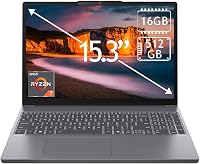
The HP OmniBook X Flip 16-inch 2-in-1 has a 16-inch touchscreen with 1920 x 1200 resolution, 16GB of memory, and a 512GB SSD. Its Windows 11 Home system may suit someone who wants a larger convertible screen and Windows apps.
Consider its screen size alongside how you'll use tablet mode. A 16-inch display gives you more viewing area, but the best fit depends on your desk, bag, and how you plan to carry it.
When might the Lenovo Chromebook fit?
The Lenovo Chromebook 2-in-1 14-inch has a 14-inch WUXGA IPS touchscreen, ChromeOS, 4GB of RAM, and 128GB of storage. It may suit someone whose work fits ChromeOS and who prefers a smaller screen than the 16-inch examples above.
Check that your essential apps work in ChromeOS before choosing it. The memory and storage figures also make it important to compare your workload and file needs with the laptop specs and care guide.
What are the trade-offs of a 2 in 1?
A 2 in 1 gives you touch and folding modes in one device, but those features may not matter in every routine. Consider whether you will use them often enough to make the design worthwhile.
A convertible keeps its keyboard attached even in tablet position. A detachable removes that issue, but you'll need to manage a separate keyboard when you want to type.
Touch support changes how you interact with the screen, but it doesn't make a laptop automatically better for every task. Compare the screen, keyboard, operating system, and specs with a regular laptop before deciding.
Is a 2 in 1 laptop right for you?
A 2 in 1 laptop is a good fit when you want a keyboard for daily work and will use folding or detachable tablet-style modes. Pick a convertible if you want a screen that rotates while the keyboard stays attached; consider a detachable if using the screen alone matters more.
If your computer will stay in laptop mode, focus on the operating system, screen, memory, and storage first. For more options, see our guide to the best 2 in 1 laptops for home and school.
Frequently asked questions
What does 2 in 1 mean on a laptop?
A 2 in 1 laptop works as a traditional computer and can also fold or detach into a tablet-style form. Most use a touchscreen and a hinge that lets the screen rotate; detachable models separate the screen from the keyboard.
Check the specific design, since not every 2 in 1 works the same way.
Is a 2 in 1 laptop good for everyday use?
Yes, a 2 in 1 can handle everyday work if its operating system, memory, storage, and ports fit your apps and files. The hinge and touchscreen add flexibility for reading or presenting, but don't replace the need to choose suitable core specs.
Compare those needs in our laptop buying guide.
Can you use a 2 in 1 laptop as a tablet?
Many 2 in 1 laptops fold the keyboard behind the screen or detach it, so you can use touch controls in a tablet-style position. A convertible still has its keyboard attached, which can feel different from a standalone tablet.
Check the model's modes and weight before planning to hold it for long periods.
Do 2 in 1 laptops need a touchscreen?
A touchscreen is what makes tablet-style use practical on most 2 in 1 laptops. Touch support lets you tap and swipe when the screen is folded, while the keyboard and touchpad remain useful in laptop mode.
Check the display details and whether the screen folds or detaches before buying.