How Much Storage Do I Need on a Laptop?
For most people, 512GB is a practical answer to how much storage you need on a laptop. Choose 256GB for light, cloud-based use or 1TB if you keep large games, video projects, or photo libraries on the computer.
On this page (8 sections)
- How much storage do I need on a laptop?
- Is 256GB enough for school or everyday use?
- Is 512GB enough for work, photos, and apps?
- When does 1TB make sense?
- Can an external SSD help when laptop storage runs low?
- How can you estimate your storage needs?
- How should you set up and care for laptop storage?
- Which laptop storage size should you choose?
For most people, 512GB is a practical answer to how much storage you need on a laptop. Choose 256GB for light, cloud-based use or 1TB if you keep large games, video projects, or photo libraries on the computer.
Storage holds your operating system, apps, downloads, and personal files. The right capacity depends on which files you keep locally, how often you work offline, and whether you want to manage space regularly.
How much storage do I need on a laptop?
Choose 256GB for light use, 512GB for a mix of everyday tasks, and 1TB for larger local files. These are starting points: apps vary in size, and your habits matter more than a label on a laptop box.
| Laptop storage | Often suits | Check before choosing |
|---|---|---|
| 128GB | Browser-based tasks and light file storage | You’ll rely on cloud storage or external drives |
| 256GB | Documents, web use, and a modest app collection | Large games and media can fill it quickly |
| 512GB | School, office work, photos, and general use | A large local media library may still need more |
| 1TB or more | Large games, video projects, and extensive media | Decide whether you’ll keep those files on the laptop |
The operating system, built-in apps, updates, and recovery space use some of the advertised capacity. Leave room for new files and updates instead of planning to fill the drive.
For a broader laptop checklist, see what to look for when buying a laptop.
Is 256GB enough for school or everyday use?
256GB can suit school and everyday tasks if you mainly use a browser, documents, and cloud files. It gives you less room for large downloads, many installed apps, or media you want available offline.
Students who save notes and assignments online may need less space than those who download course videos or work with large design files. At home, streaming uses less local storage than keeping a film collection downloaded.
Think about what you need when the internet is unavailable. If you travel or work where connections are weak, count offline documents, downloads, and media in your estimate.
The ASUS Chromebook CM15 has 128GB of storage and runs ChromeOS, with Google apps such as Docs and Photos. It fits a browser-centered routine where most files stay online, but skip it if you want lots of local downloads or large apps.
Before choosing a smaller drive, decide where you’ll store important files and how you’ll reach them away from home. See what laptop should I buy? for help comparing the rest of your needs.
Is 512GB enough for work, photos, and apps?
512GB is a sensible fit for a mix of documents, everyday apps, and personal files. It offers more room to organize local files than 256GB, without assuming you need to keep a large media collection on the laptop.
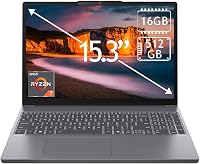
The ASUS Vivobook Go 15 has a 512GB SSD, a 15.6-inch Full HD display, and an AMD Ryzen 5 7520U processor. It suits everyday work and personal use if that capacity matches your file habits; choose more storage if large projects or games are part of your regular routine.
Storage and memory do different jobs. Storage keeps files when the laptop is off, while RAM helps it handle active tasks; compare both with how much RAM you need in a laptop.
When does 1TB make sense?
Consider 1TB if you keep large projects, games, or media libraries on the laptop itself. More space can mean less frequent cleanup, though it does not make every program run faster.
The Lenovo IdeaPad 5 2-in-1 has a 1TB SSD, a 16-inch touchscreen, and a 360-degree hinge for laptop, tablet, tent, or stand use. It suits someone who wants substantial local storage and convertible modes, but may be more capacity than you need if you mostly stream and use cloud documents.
Before you choose a larger drive, check how much space your current computer uses and which files account for it. A big number can feel reassuring, but unused capacity may matter less than a comfortable screen, enough memory, or a laptop that fits your daily routine.
Does gaming need more laptop storage?
Gaming can call for more storage if you install several large games at once. Game sizes differ, and updates can add to the space they use.
Check the storage needs for the games you play and leave room for the operating system, other apps, and future updates. A smaller drive can still work if you uninstall games you no longer play or keep the library on a compatible external drive.
Can an external SSD help when laptop storage runs low?
An external SSD can add space for files without replacing your laptop. It works well for archives, media, and projects you do not need open all the time.
The SanDisk 1TB portable SSD connects over USB-C and is small enough to carry in a pocket or bag. SanDisk says its read speeds reach up to 1000 MB/s, with actual performance depending on the host device and other conditions.
Use an external drive for files you can keep separate from installed apps and the operating system. Check that your laptop has a compatible port, keep the drive in a safe place, and make a separate backup of files you cannot replace.
How can you estimate your storage needs?
Start with your current storage use, then add space for the files and apps you expect to keep. Your computer’s storage settings can show how much space is used and which folders take the most.
Use this quick check:
- Look at the storage used on your current computer.
- Find large folders, games, downloads, photos, and videos.
- Decide which files can stay in cloud storage or on an external drive.
- Allow room for new apps, files, and updates.
A nearly full drive is harder to manage, even if the laptop still works. Don’t choose capacity based only on today’s exact usage; consider whether your photo library, work files, or app collection is likely to grow.
Common mistakes include counting cloud files as if they were stored locally, forgetting offline downloads, and assuming external storage is always convenient. A drive you leave at home won’t help when you need an archived file on a trip.
How should you set up and care for laptop storage?
Set up storage by choosing where new files go, keeping free space, and maintaining a separate backup. Those habits make a modest drive easier to manage and protect important work.
After setup, check storage settings and remove apps or downloads you no longer need. Save large media files to the location you’ll actually use, and avoid filling the internal drive to its limit.
If you add an external SSD, use it for files you can disconnect safely. Eject it before unplugging, keep it protected during travel, and avoid treating a single external drive as your only copy of important documents or photos.
Which laptop storage size should you choose?
Choose based on what you’ll keep locally: 256GB for light cloud-based use, 512GB for mixed everyday tasks, and 1TB for larger collections. That’s the simplest way to answer how much storage you need on a laptop.
Pick the ASUS Chromebook CM15 if browser-based work and online files fit your routine. Choose the ASUS Vivobook Go 15 for everyday work with a middle storage tier, or the Lenovo IdeaPad 5 2-in-1 if you want more room for local files and a convertible touchscreen design.
If your current laptop is nearly full or you regularly keep games, video, or extensive photo libraries offline, start at 1TB or plan for an external SSD. For a final size check, compare your screen and portability needs in what size laptop you need.
Frequently asked questions
Is 256GB enough storage for a laptop?
256GB can be enough for web browsing, documents, streaming, and cloud storage if you keep few large files on the laptop. The operating system, apps, updates, and recovery files use part of that space, so check available capacity and leave room for files you'll add.
Is 512GB enough for a laptop?
512GB is a useful middle ground for school, office work, photos, and a mix of installed apps. It may feel tight if you keep several large games, raw video, or a large photo library locally, so plan to archive files or add external storage.
Do I need 1TB of storage on my laptop?
Choose 1TB if you expect to keep large projects, games, or media collections on the laptop and want less frequent cleanup. You may need less if you mainly stream, work in a browser, or store files in cloud services; check your current storage use before deciding.
Can I add storage to a laptop later?
Sometimes, but upgrade options depend on the laptop design and may be limited or unavailable. An external drive can add space without opening the computer, though it must be connected to access those files.
Check the laptop's storage and port details before you buy.