MacBook Air 13 vs 15 Inch: Which Size to Buy? (November 2026)
Choose the 13-inch MacBook Air if easy carrying matters most, or the 15-inch Air if you want more screen room. Both M5 models have 16GB unified memory, 512GB SSD storage and up to 18 hours of battery life.
On this page (10 sections)
- MacBook Air 13 vs 15: which size is easier to carry?
- Does the 15-inch MacBook Air screen make work easier?
- Are performance, memory and storage different?
- Which MacBook Air has better battery life?
- Which MacBook Air should students choose?
- Is the MacBook Neo a better fit than either Air?
- How should you set up and care for a MacBook Air?
- What mistakes should you avoid when choosing a size?
- Which MacBook Air size should you buy?
- Sources
For the MacBook Air 13 vs 15 choice, pick the 13-inch Air for easier carrying or the 15-inch Air for more screen space. Both M5 configurations share 16GB unified memory, a 512GB SSD and up to 18 hours of stated battery life.
The 13-inch Air has a 13.6-inch display and weighs 2.71 lb. The 15-inch Air has a 15.3-inch display and weighs 3.32 lb, so the larger model adds 0.61 lb.
Both suit everyday work, school and home use. The better size depends on where you use the laptop most: in a bag and on the move, or open on a desk for longer sessions.

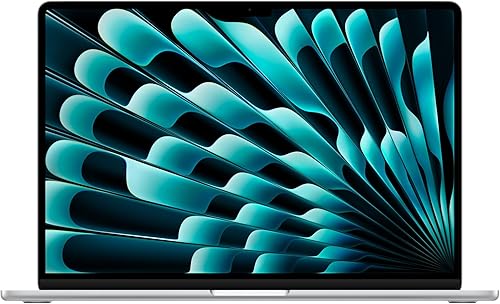
MacBook Air 13 vs 15: which size is easier to carry?
The 13-inch MacBook Air is easier to carry because it weighs less and takes up less room. The 15-inch Air remains portable, but its larger footprint can crowd a bag or a small work surface.
The 13-inch Air measures 11.97 x 8.46 x 0.44 inches. The 15-inch Air measures 13.4 x 9.35 x 0.45 inches, making it wider and deeper as well as 0.61 lb heavier.
That difference matters most when you carry the laptop along with books, a charger, lunch or other daily items. If you mainly move it between rooms or keep it on a desk, the extra weight may matter less than the larger display.
Will the 15-inch MacBook Air fit your bag?
Check your laptop sleeve before buying the 15-inch model. Its 13.4-inch length and 9.35-inch depth need more room than the 13-inch Air's 11.97 x 8.46-inch body.
Measure both the inside of the sleeve and its opening. A laptop can fit inside a compartment yet be awkward to slide in if the opening is narrow or other gear blocks it.
For a commute, think about the loaded bag rather than the laptop alone. If your bag is already heavy or packed tightly, the 13-inch Air is the more practical choice.
Who should skip the 13-inch Air?
Skip the 13-inch Air if you regularly need a large built-in workspace and don't plan to connect an external display. Its smaller screen can feel cramped when you keep two documents open or switch between a lesson and notes.
The 13-inch model is still a sensible choice for focused work, reading, writing and video calls. It is also a better fit when a smaller laptop sleeve or limited desk space sets the size.
Does the 15-inch MacBook Air screen make work easier?
The 15-inch Air gives you more room to read and arrange windows side by side. The 13-inch Air is easier to fit on a small desk and works well when you focus on one task at a time.
The 15.3-inch Liquid Retina display is larger than the 13.6-inch display, and both support 1 billion colors. More screen space can make a spreadsheet, long document or video lesson easier to view without constant switching.
A larger screen doesn't automatically make an app or task faster. It helps most when you have content that benefits from a wider view, such as a reference document beside your notes.
Which MacBook Air size suits split-screen work?
Choose the 15-inch Air if you often keep two windows visible at once. Its extra display area gives each window more room before text and controls feel crowded.
For writing, browsing or joining video calls one at a time, the 13-inch screen may be enough. Both Air models support up to two external displays, so a desk setup can add workspace without requiring the larger laptop screen.
Think about your usual work location. If you already connect a monitor at your main desk, portability may matter more for the hours you spend away from it.
Who should skip the 15-inch Air?
Skip the 15-inch model if you value a compact bag and frequently work in tight spaces. Its larger body takes more room in a sleeve and on a small table, even though its weight is still within a portable laptop range.
The bigger display is useful when you use it. If your regular tasks fit comfortably on a smaller screen, the added size may bring little benefit to your routine.
Are performance, memory and storage different?
These M5 Air configurations have the same chip, memory and storage, so screen size is the main choice for many buyers. Both offer 16GB unified memory and a 512GB SSD.
Apple describes the M5 chip as supporting multitasking and creative workflows. Both Air models also support Apple Intelligence, Wi-Fi 7 and Bluetooth 6.
The speaker systems differ: the 13-inch Air has four speakers, while the 15-inch has six. Both support Spatial Audio and Dolby Atmos, so the larger model is a better fit if built-in sound matters to you.
For a broader look at the Air, read our MacBook Air M5 guide. If you are comparing screen sizes across brands, our guide to choosing a laptop size explains how to match a display to your space and routine.
Which MacBook Air has better battery life?
Both M5 MacBook Air sizes are rated for up to 18 hours of battery life. The stated maximum is the same, so battery life alone doesn't point to one size as the better choice.
Actual battery time depends on your apps, settings and use. If you expect to spend a long day away from an outlet, plan around the work you do and keep a charger available when practical.
The MacBook Neo is rated for up to 16 hours. Its memory and storage configuration may matter more than the battery difference if you keep many apps or files on your laptop.
Which MacBook Air should students choose?
Choose the 13-inch Air if you move between classes and want a lighter bag; choose the 15-inch Air if reading and split-screen work take priority. Both M5 configurations have the same memory and storage.
Both Air models have a 12MP Center Stage camera that can keep you in frame during calls and support Desk View for showing a top-down view of your workspace. They also share a three-mic array.
The 13-inch Air has four speakers, and the 15-inch model has six. The larger model may suit students who watch lessons while taking notes or compare source material on screen.
For students who mostly write papers, browse class pages and join video calls, the smaller Air is easier to carry between classes. See our laptop guide for high school students for other screen sizes and laptop types.
If you are deciding between operating systems as well as screen sizes, our Chromebook vs MacBook guide covers the broader choice.
Is the MacBook Neo a better fit than either Air?
The 13-inch MacBook Neo may fit everyday school or home tasks if 8GB of memory and 256GB of storage are enough for you. The two M5 Air models have twice the memory and storage in these configurations.
The Neo weighs 2.71 lb and has a 13-inch Liquid Retina display. It uses an A18 Pro chip, has a 1080p FaceTime HD camera and two side-firing speakers, and is rated for up to 16 hours of battery life.
Choose an Air if you want its M5 chip, 16GB unified memory and 512GB SSD. Choose the Neo if your work is lighter and its memory and storage suit the apps and files you expect to keep.
How should you set up and care for a MacBook Air?
Set up the laptop around how you work, then keep its screen and ports clear of avoidable strain. A few early choices can make a new computer easier to use at school, at home or between locations.
During setup, connect to your Wi-Fi network, sign in to the accounts you use and install the apps needed for your work. If you use an iPhone, the Air can work with it for tasks such as continuing an email or viewing photos, and it can let you see and control what's on your phone.
At a desk, place the laptop where you can reach its Thunderbolt 4 ports and MagSafe charging port without pulling on cables. If you connect external displays, position them before settling on a keyboard and mouse layout.
Keep drinks away from the keyboard and avoid packing the laptop loose with hard items that could press against its screen. For safe screen cleaning, follow our laptop screen cleaning guide.
What mistakes should you avoid when choosing a size?
The common mistake is choosing by screen size alone without checking where the laptop will go. Think about the bag, desk and tasks together before settling on either Air.
Don't assume the 15-inch model has more memory or storage just because it is larger. These two M5 configurations match on those features, so the larger display is the main reason to choose it.
Don't judge portability by weight alone, either. The 15-inch Air's dimensions may be the bigger problem if your bag sleeve is narrow or your workspace is small.
Finally, don't treat “up to 18 hours” as a promise for every day. Battery use depends on what you run and how you set up the laptop.
Which MacBook Air size should you buy?
Pick the 13-inch MacBook Air for a lighter commute and compact workspace; pick the 15-inch Air for a larger built-in view and more room for side-by-side work. In this MacBook Air 13 vs 15 decision, let your usual setting and tasks settle the choice.
The 13-inch M5 Air is the clear fit if you carry your laptop often or work in compact spaces. The 15-inch M5 Air is the better fit if you spend long sessions reading, comparing documents or watching video on the laptop itself.
If neither Air configuration matches your needs, compare the MacBook Neo's everyday-use configuration. For a broader home and school decision, read what laptop to buy for home or school.
Sources
Frequently asked questions
Is the 13-inch or 15-inch MacBook Air better?
The 13-inch MacBook Air suits you better if you carry your laptop often, since it weighs 2.71 lb compared with 3.32 lb for the 15-inch model. Choose the 15-inch Air if its larger display gives you more room for documents, video or side-by-side windows.
Do the 13-inch and 15-inch MacBook Air have the same memory and storage?
These M5 configurations both have 16GB of unified memory and a 512GB SSD. Their main differences are screen size, weight and speaker count, so compare those details with how you use your laptop.
How much heavier is the 15-inch MacBook Air?
The 15-inch M5 MacBook Air weighs 3.32 lb, while the 13-inch M5 model weighs 2.71 lb. That is a 0.61 lb difference.
Consider your bag, commute and how often you move between rooms when deciding whether the larger display is worth carrying.
Is the MacBook Neo a MacBook Air alternative?
The 13-inch MacBook Neo has an A18 Pro chip, 8GB unified memory, 256GB SSD and up to 16 hours of battery life. The M5 Air models have 16GB memory, 512GB SSD and up to 18 hours, so choose based on your workload and storage needs.


